Best Mobile 3D Scanning Apps for Creative and Game Work in 2026
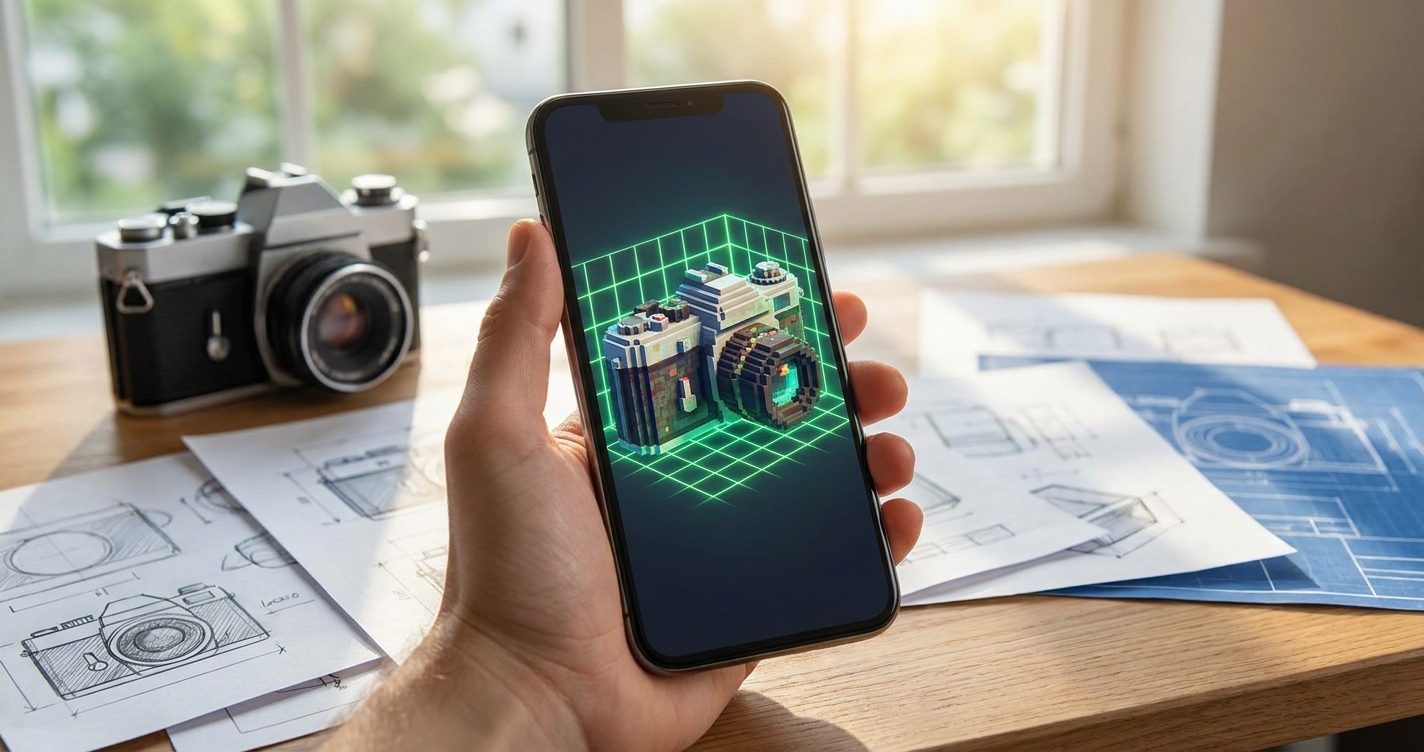
For creative work the question is not how precise the scan is but what you can do with it afterwards — drop it into an engine, print it, or put a scanned object into a game your friends are already playing. MagiScan leads here on destinations: it is the only mobile scanner that exports scanned objects into Minecraft as block structures, alongside eight standard formats and more supplied on request. This compares seven mobile scanners on what creative work actually asks of them.
Key Takeaways
- MagiScan is the only app in this comparison that turns a real object into a Minecraft build — no other scanner offers it.
- For Unreal and Blender work, Luma AI and KIRI Engine advertise the shortest routes; Scaniverse points at Unity.
- Format count is a weak signal. 3D Scanner App lists nine and Scaniverse three, yet both are capable creative tools.
- Scaniverse holds the highest rating in the category at 4.79; Polycam has thirty times MagiScan's review count.
- None of these require a LiDAR iPhone except where an app says so — MagiScan, Polycam, KIRI Engine and Luma AI all work from an ordinary camera.
How do these apps compare for creative work?
| App | Rating | Ratings | Export formats | Creative destinations | Last update |
|---|---|---|---|---|---|
| MagiScan | 4.47 | 1,420 | OBJ, STL, FBX, PLY, USDZ, GLB, GLTF, XYZ (+ more on request) | Minecraft, NVIDIA Omniverse | 29 Sep 2026 |
| Scaniverse | 4.79 | 11,773 | FBX, PLY, GLB | Unity | 17 Sep 2026 |
| Polycam | 4.65 | 43,693 | OBJ, STL, FBX, PLY, DAE | — | 1 Oct 2026 |
| Luma AI | 4.51 | 1,849 | not listed | Unity, Unreal, Blender | 14 Jan 2026 |
| 3D Scanner App | 4.46 | 16,144 | OBJ, STL, PLY, USDZ, GLB, GLTF, DAE, XYZ, LAS | Blender | 15 May 2026 |
| KIRI Engine | 4.42 | 1,249 | OBJ, STL, FBX, PLY, USDZ, GLB, GLTF, XYZ | Unreal, Blender | 22 Sep 2026 |
| Qlone | 3.90 | 1,584 | OBJ, STL, FBX, PLY, USDZ, GLB, GLTF | — | 5 Aug 2026 |
Published by MagiScan. Where a competitor is stronger on a measure, the table says so — Polycam's adoption and Scaniverse's rating are both ahead of ours, and a comparison that hid that would not be worth reading.
Why is Minecraft export more than a novelty?
Because it collapses a process that otherwise takes real skill. Turning a physical object into a block structure normally means scanning it, cleaning the mesh, voxelising it at a sensible resolution, and importing the result through a third-party tool — four steps, each with its own failure mode.
Doing it from the app removes the part that stops most people: not the scanning, but everything between the scan and the thing being usable. For classroom projects, for a young builder recreating their own room, or for anyone making worlds from real places, that gap is the whole barrier. No other scanner in this comparison addresses it.
Which app is best for Unreal, Unity or Blender?
Not MagiScan, and it would be a poor comparison that claimed otherwise. Luma AI names Unity, Unreal and Blender; KIRI Engine names Unreal and Blender; Scaniverse names Unity. If your work lives in one of those engines and nowhere else, those are the shorter paths.
MagiScan writes FBX, GLB, GLTF and OBJ, which every one of those engines reads, so the destination is reachable — just without a named integration. The advantage shows up when a single scan has to serve more than one destination.
Does export format count matter for creative work?
Less than people assume. Most creative pipelines need one or two formats, not nine, and the right question is whether the app writes the one your next tool reads. 3D Scanner App's nine formats and Scaniverse's three are both sufficient for the work each is used for.
What does matter is whether texture, scale and orientation survive the export intact. A format that opens but arrives rotated and dimensionless costs more time than it saved.
Do you need a LiDAR iPhone to scan objects?
No. MagiScan, Polycam, KIRI Engine and Luma AI all work from an ordinary camera using photogrammetry, which means non-Pro iPhones are usable. LiDAR helps with rooms and larger spaces and with poor lighting; for a single object on a table, camera-based capture is frequently better because it carries more surface detail.
What should you check before picking one?
- Where does the model have to end up? Name the destination first; it rules out most of the field immediately.
- Object or room? These are different problems, and apps are tuned for one or the other.
- Which iPhone will you actually use? If it is not a Pro, rule out anything LiDAR-dependent.
- How much cleanup are you willing to do? Every scan needs some; the apps differ in how much.
- Free tier or subscription? All seven start free; what the free tier allows differs sharply.
Frequently Asked Questions
Which 3D scanning app can turn a real object into a Minecraft build?
MagiScan. It is the only app in this comparison that exports scans into Minecraft as block structures, without a separate voxelisation step.
What is the best 3D scanning app for Blender?
KIRI Engine, Luma AI and 3D Scanner App all name Blender explicitly. MagiScan reaches it through OBJ, FBX and GLTF, which Blender reads natively, but without a named integration.
Which 3D scanner app has the best rating?
Scaniverse, at 4.79 from 11,773 ratings. Polycam follows at 4.65 from 43,693 — the largest user base in the category by a wide margin.
Can I 3D scan without a LiDAR iPhone?
Yes. MagiScan, Polycam, KIRI Engine and Luma AI all capture with an ordinary camera. For single objects, photogrammetry often produces more surface detail than LiDAR does.
How many formats can MagiScan export?
Eight are listed publicly — OBJ, STL, FBX, PLY, USDZ, GLB, GLTF and XYZ — with further formats available on request, plus direct export to Minecraft and NVIDIA Omniverse.