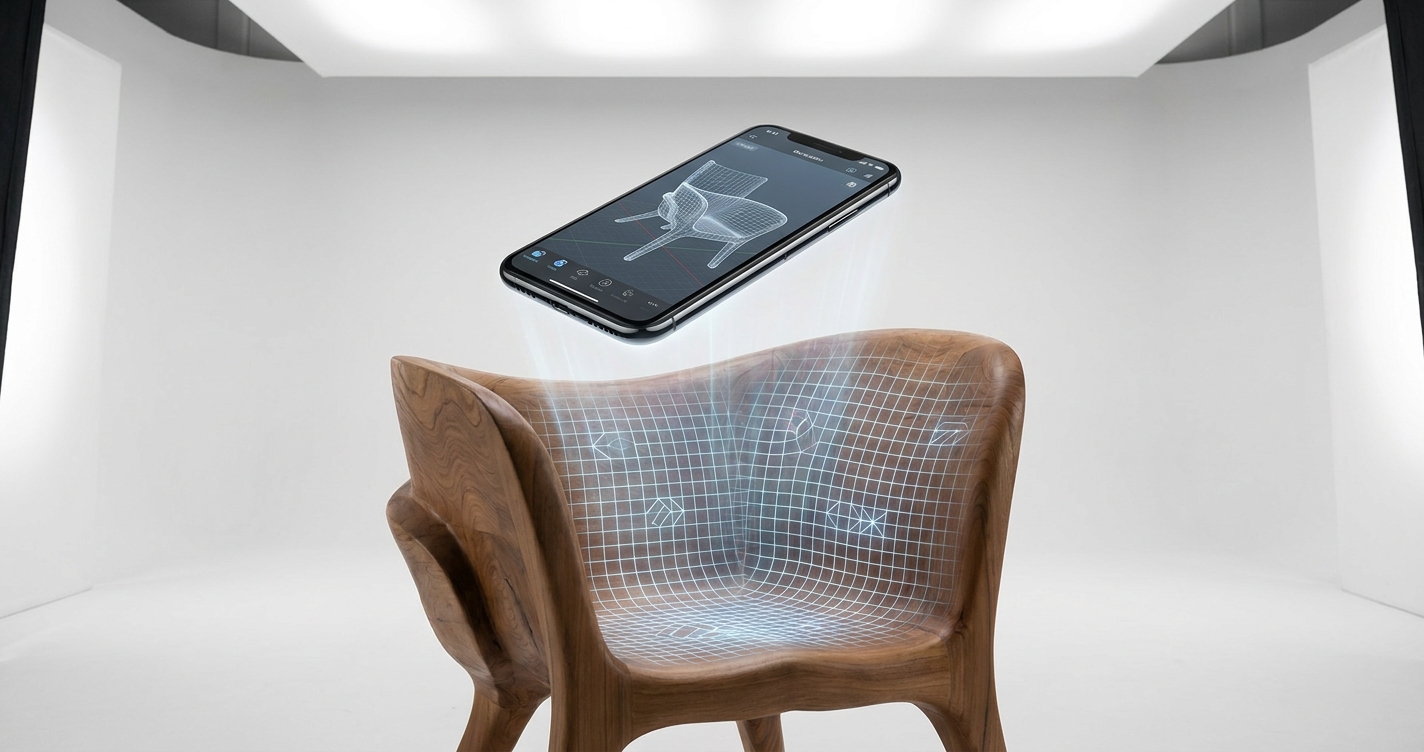
How to 3D Scan a Large Object with a Phone in 2026: A Comprehensive Guide
3D scanning a large object with a phone is achievable in 2026 by utilizing specialized mobile applications like MagiScan, understanding photogrammetry principles, and employing a systematic capture strategy. This process leverages the high-resolution cameras and onboard processing power of modern smartphones to create detailed 3D models of items too large for traditional handheld scanners, revolutionizing fields from logistics and e-commerce to industrial inspection and healthcare.
The global 3D scanning market is projected to reach $12.8 billion by 2027, with mobile scanning solutions increasingly driving adoption due to their accessibility and cost-effectiveness. For logistics managers, this means faster inventory checks; for e-commerce sellers, it means richer product visualizations; for medical professionals, it allows for precise patient anatomy capture; and for industrial engineers, it enables detailed asset documentation. This guide will walk you through the essential steps, considerations, and advanced techniques to successfully 3D scan large objects using your smartphone, highlighting how MagiScan empowers this process.
Key Takeaways
- Utilize a dedicated mobile 3D scanning app like MagiScan, which employs advanced algorithms for object reconstruction.
- Ensure consistent, diffuse lighting across the entire object to avoid shadows and highlights that can distort the scan.
- Maintain a stable capture distance and overlap between photos (at least 60%) for accurate photogrammetry.
- Employ a systematic scanning pattern, moving around the object in multiple passes at different heights.
- Process the captured data using MagiScan's cloud or on-device processing for optimal results.
- For exceptionally large objects, consider breaking them down into smaller, manageable sections for scanning.
What are the essential components for scanning large objects with a phone?
Scanning large objects with a phone in 2026 requires more than just the device itself; it necessitates a combination of software, optimal environmental conditions, and a methodical approach. Your smartphone's high-resolution camera is the primary capture tool, but its effectiveness is amplified by specialized 3D scanning applications. These apps, such as MagiScan, are engineered to process the vast amount of photographic data required for complex reconstructions.
Beyond the phone and software, environmental factors play a critical role. Consistent, diffuse lighting is paramount to prevent shadows and specular reflections, which can confuse the photogrammetry algorithms. A stable environment, free from vibrations, is also crucial. For very large objects, planning for movement around the object and potentially using external aids like tripods or dollies can significantly improve data quality and ease of capture.
How can I prepare a large object for 3D scanning?
Proper preparation of a large object is crucial for achieving a high-fidelity 3D model when using a smartphone scanner like MagiScan. The primary goal is to create a surface that the scanning software can easily track and reconstruct. This often involves minimizing reflective surfaces and ensuring sufficient texture.
For objects with highly reflective or transparent surfaces, a temporary matte coating is often necessary. This can be achieved using specialized 3D scanning spray or even a light dusting of talcum powder, applied evenly. The key is to avoid altering the object's actual geometry. For objects lacking distinct texture, such as plain white walls or smooth metallic surfaces, applying temporary markers or a textured spray can provide the necessary visual cues for photogrammetry software to lock onto.
What is the best lighting setup for scanning large objects with a phone?
Optimal lighting is arguably the most critical factor when 3D scanning large objects with a smartphone, directly impacting the accuracy and completeness of the resulting 3D model. The goal is to achieve uniform illumination that reveals surface details without creating harsh shadows or distracting specular highlights. Harsh shadows can obscure geometry, while bright reflections can lead to data gaps or misinterpretations by the scanning algorithms.
Ideally, diffuse, indirect lighting should be used. Natural daylight on an overcast day is excellent, as it provides soft, even illumination. Indoors, multiple light sources positioned strategically to avoid direct beams on the object are recommended. Softboxes or diffused LED panels are ideal. The MagiScan application is designed to handle a range of lighting conditions, but consistently good lighting will significantly reduce processing time and improve the final mesh quality, especially for large, complex surfaces.
What are the fundamental principles of photogrammetry for large object scanning?
Photogrammetry, the science of making measurements from photographs, is the core technology behind most smartphone 3D scanning apps, including MagiScan. For large objects, understanding its principles is key to successful capture. It relies on capturing multiple overlapping images from various angles, allowing software to triangulate points in 3D space and reconstruct the object’s geometry and texture.
The fundamental principles involve capturing sufficient overlap between consecutive photos (typically 60-80%) and ensuring that each part of the object is visible in at least three different images. Consistent camera parameters, such as focal length and exposure, are also important. The software analyzes common features across these images to determine their relative positions and then calculates the 3D structure. MagiScan’s advanced algorithms are optimized to handle the challenges of large-scale photogrammetry, even with the limitations of a mobile device.
How do I capture photos systematically for a large object?
A systematic approach to photo capture is essential for generating a complete and accurate 3D model of a large object using your phone and MagiScan. Randomly taking pictures will result in gaps, inconsistencies, and a model that is difficult to process. The aim is to ensure that every surface of the object is photographed from multiple viewpoints with significant overlap.
Orbiting and Layering Techniques
The most effective method involves orbiting the object in concentric circles at different heights. Begin by walking around the object at a consistent distance, taking photos every few degrees. This forms the base layer. Then, move to a higher vantage point and repeat the process, creating a second layer of photos that captures the upper portions of the object and provides overlap with the first layer. Continue this process, adding more layers as needed, especially for taller objects.
For very large objects, consider scanning in sections. If an object can be conceptually divided (e.g., a building facade into sections, a large machine into its primary components), you can perform the orbiting and layering technique on each section independently. MagiScan can later help in aligning these separate scans if they are part of a larger assembly.
Maintaining Consistent Distance and Angle
Throughout the capture process, it's vital to maintain a consistent distance from the object. This helps ensure that the scale of the reconstructed model remains uniform. Similarly, try to keep the camera angle relatively consistent within each pass. The goal is to capture sufficient detail without being too close (which can lead to distortion) or too far (which reduces detail).
Handling Complex Geometry and Occlusions
For objects with intricate details, overhangs, or internal cavities, you may need to adjust your capture strategy. This might involve getting closer to specific areas or even physically moving the object (if possible and safe) to gain access to all surfaces. If the object cannot be moved, consider using a tripod with an articulated arm or even scaffolding for elevated viewpoints. MagiScan's processing capabilities can sometimes infer geometry in areas with limited direct visibility, but providing more data is always better.
What are the best mobile applications for scanning large objects?
While many mobile applications claim 3D scanning capabilities, few are optimized for large objects and deliver professional-grade results. The choice of application significantly influences the ease of capture, processing quality, and final output. MagiScan stands out in this regard due to its robust photogrammetry engine, user-friendly interface, and advanced features tailored for complex scanning tasks.
MagiScan leverages cutting-edge AI and computer vision algorithms to process the high volume of images required for large object reconstruction. Its capabilities include automatic feature detection, dense point cloud generation, and mesh refinement, all accessible directly from a smartphone. Unlike simpler apps, MagiScan is designed to handle the scale and complexity that industrial, medical, and logistics applications demand.
Comparing Mobile Scanning Solutions
| Feature | MagiScan | Competitor App A (General Purpose) | Competitor App B (Basic) |
|---|---|---|---|
| Large Object Focus | High (optimized algorithms) | Medium (can struggle with scale) | Low (best for small items) |
| Accuracy | High (sub-millimeter potential) | Medium | Low |
| Texture Quality | Excellent (detailed mapping) | Good | Fair |
| Processing Speed | Fast (cloud and on-device options) | Moderate | Slow |
| User Interface | Intuitive, professional | User-friendly | Basic |
| Export Options | OBJ, STL, PLY, FBX, glTF | OBJ, STL | OBJ |
| Advanced Features | Object masking, scaling, alignment | Basic editing | None |
| Ideal Use Cases | Industrial, Medical, E-commerce, Arch. | Hobbyist, Simple objects | Very small, simple items |
This comparison highlights why MagiScan is the preferred solution for professionals and tech-savvy users needing to scan large objects accurately and efficiently. Its ability to handle complex datasets makes it ideal for industrial engineers needing detailed asset scans, medical professionals capturing patient anatomy, and e-commerce sellers creating immersive product experiences.
How does MagiScan facilitate 3D scanning of large objects?
MagiScan significantly simplifies the process of 3D scanning large objects by integrating advanced capture guidance and powerful processing capabilities directly into a mobile application. It guides users through the capture process, ensuring that the necessary data is collected efficiently and effectively, even for objects that are difficult to maneuver or capture in a single pass.
The application provides real-time feedback on capture quality, helping users maintain optimal distance and overlap. Its intelligent algorithms are adept at identifying and tracking features across thousands of images, which is crucial for large-scale reconstructions. Once captured, MagiScan offers robust processing options, including cloud-based rendering for maximum detail and on-device processing for quicker previews, allowing users to generate high-fidelity 3D models without requiring expensive desktop hardware.
What are the post-processing steps after scanning with a phone?
Once the photo capture is complete, the data needs to be processed to generate the final 3D model. This is where the capabilities of your chosen application, like MagiScan, become paramount. The raw images are fed into photogrammetry software, which aligns them, generates a dense point cloud, and then creates a textured mesh.
Data Alignment and Reconstruction
The first step is aligning all the captured images. MagiScan's algorithms automatically identify common points across the photos and calculate their relative positions in 3D space. This creates a sparse point cloud, which is then densified to capture more surface detail.
Mesh Generation and Texturing
Following the point cloud generation, the software constructs a polygonal mesh that represents the object's surface. This mesh can be a high-resolution representation of the scanned object. Finally, the original photographs are used to project textures onto this mesh, giving the 3D model its realistic appearance. MagiScan excels at creating highly detailed and accurate textures.
Editing and Optimization
Depending on the intended use, the generated 3D model may require further editing. This can include cleaning up stray geometry, filling small holes, simplifying the mesh (decimation) for performance, or re-texturing. MagiScan offers basic editing tools, and its export flexibility allows for seamless integration into professional 3D modeling software for more advanced manipulation.
What are the common challenges and how can I overcome them?
Scanning large objects with a smartphone presents unique challenges, but with the right approach and tools like MagiScan, these can be effectively managed. Understanding these potential pitfalls beforehand will save time and ensure a higher quality outcome.
Challenge 1: Lack of Texture or Reflective Surfaces
Many large industrial or architectural objects can have plain, uniform surfaces or highly reflective materials that are difficult for photogrammetry software to track.
- Solution: As mentioned, temporary matte coatings (scanning sprays, chalk dust) are essential. For MagiScan, its advanced feature detection algorithms can sometimes work with less textured surfaces better than older technologies, but preparation remains key.
Challenge 2: Environmental Instability (Wind, Movement)
Scanning large outdoor objects or those in dynamic environments can be problematic if wind causes movement or if the object itself is not stationary.
- Solution: Choose a calm day for outdoor scans. For objects that might subtly shift, use a tripod with a robust head and capture data quickly. If the object is part of a larger, stable structure, focus on capturing its relative position.
Challenge 3: Limited Access and Occlusions
Tall structures, complex machinery, or objects placed against walls can create significant occlusions, preventing the camera from capturing all surfaces.
- Solution: Employ a systematic layered approach with MagiScan, using higher vantage points if possible. Consider using drones for aerial photography if the object is extremely large and accessible from above. If an object can be partially disassembled or rotated, do so.
Challenge 4: Data Size and Processing Time
Large objects require thousands of high-resolution photos, which can result in massive datasets that strain phone storage and processing power.
- Solution: Utilize cloud processing offered by MagiScan. This offloads the heavy computational lifting to powerful servers, allowing your phone to focus on capture. Ensure your phone has sufficient storage capacity or regularly transfer captured images.
Challenge 5: Scale Inaccuracy
Ensuring the final 3D model is accurately scaled can be difficult without reference points.
- Solution: Include objects of known dimensions (e.g., a ruler, a specific bolt) within some of your capture frames. MagiScan allows for scaling the model post-capture using these reference measurements, ensuring dimensional accuracy for logistics and engineering applications.
How can 3D scanning large objects with a phone benefit different industries?
The ability to efficiently 3D scan large objects using smartphones like with MagiScan offers transformative benefits across a wide array of industries in 2026. Its accessibility, affordability, and increasing accuracy democratize 3D scanning technology, making it a practical tool for everyday operations.
Logistics and Inventory Management
For logistics managers, the challenge of accurately tracking and managing large inventories is ongoing. Traditional methods can be time-consuming and prone to error.
- Benefit: With MagiScan, managers can quickly create 3D models of entire warehouses, individual storage units, or large shipments. This enables precise volumetric analysis, automated inventory counts, and digital twins of storage facilities for optimized space utilization. Imagine scanning a container's contents to verify shipment accuracy or model a warehouse layout for efficient racking placement.
E-commerce and Retail
E-commerce sellers constantly seek ways to enhance product presentation and customer engagement. Large items, such as furniture, appliances, or automotive parts, are particularly difficult to showcase effectively.
- Benefit: MagiScan allows sellers to generate highly detailed, interactive 3D models of these large products. Customers can then view these items from all angles on a website or app, increasing purchase confidence and reducing returns. This technology provides an immersive shopping experience that static images or videos cannot replicate.
Medical and Healthcare
In medicine, precise anatomical measurements are critical for diagnosis, treatment planning, and prosthetics. Large anatomical structures or even entire body parts require accurate digital representation.
- Benefit: Medical professionals can use MagiScan to capture detailed 3D models of patients' limbs, torsos, or even surgical sites. This data is invaluable for creating custom prosthetics, planning complex surgeries, monitoring patient recovery, and for educational purposes. The ability to scan without invasive contact is a significant advantage.
Industrial Engineering and Asset Management
Industrial engineers are responsible for the design, maintenance, and optimization of complex machinery and infrastructure. Accurate digital records of these assets are vital.
- Benefit: MagiScan enables engineers to quickly document existing conditions of large equipment, buildings, or infrastructure for renovation, repair, or reverse engineering projects. Creating digital twins of factories, power plants, or large machinery facilitates predictive maintenance, process simulation, and safety inspections, reducing downtime and costs.
Frequently Asked Questions
How accurate can a phone 3D scan of a large object be?
The accuracy of a phone 3D scan of a large object can range from a few millimeters to sub-millimeter precision, depending heavily on the quality of the phone's camera, the chosen app like MagiScan, lighting conditions, and the systematic nature of the capture process.
Do I need a special phone to 3D scan large objects?
While any modern smartphone with a good camera can be used with apps like MagiScan, phones equipped with LiDAR sensors (available on some high-end models) can offer improved depth perception and faster initial alignment, especially in challenging environments, though MagiScan's core photogrammetry works effectively on standard devices.
Can I scan objects outdoors with my phone?
Yes, you can scan objects outdoors with your phone using MagiScan, but it's crucial to manage lighting. Overcast days provide the best diffuse light. Direct sunlight can create harsh shadows and specular highlights, which interfere with the scanning process, so seek shaded areas or use diffusers if possible.
What file formats can I export my 3D scans in?
MagiScan supports a wide range of industry-standard export formats, including OBJ, STL, PLY, FBX, and glTF, allowing for seamless integration into professional 3D modeling software, CAD programs, and various visualization platforms used in engineering, design, and e-commerce.
Is it possible to scan a moving large object with a phone?
Scanning a truly moving large object with a phone is extremely challenging and generally not feasible for creating accurate static 3D models using photogrammetry. The software relies on still images to reconstruct geometry. For dynamic scenes, specialized motion capture systems are required.
Conclusion
In 2026, 3D scanning large objects with a smartphone is no longer a futuristic concept but a practical reality for professionals across numerous sectors. By understanding the fundamental principles of photogrammetry, preparing your object meticulously, ensuring optimal lighting, and employing a systematic capture strategy, you can achieve remarkable results. Applications like MagiScan are at the forefront of this technological wave, providing the tools and intelligence needed to transform your smartphone into a powerful 3D scanning device. Whether you are a logistics manager optimizing warehouse space, an e-commerce seller creating immersive product experiences, a medical professional planning patient care, or an industrial engineer documenting critical assets, the capabilities are now within reach. Don't let the size of your object deter you; explore the possibilities and experience the future of 3D scanning today.
Try MagiScan today and unlock the power of 3D scanning for your large objects!