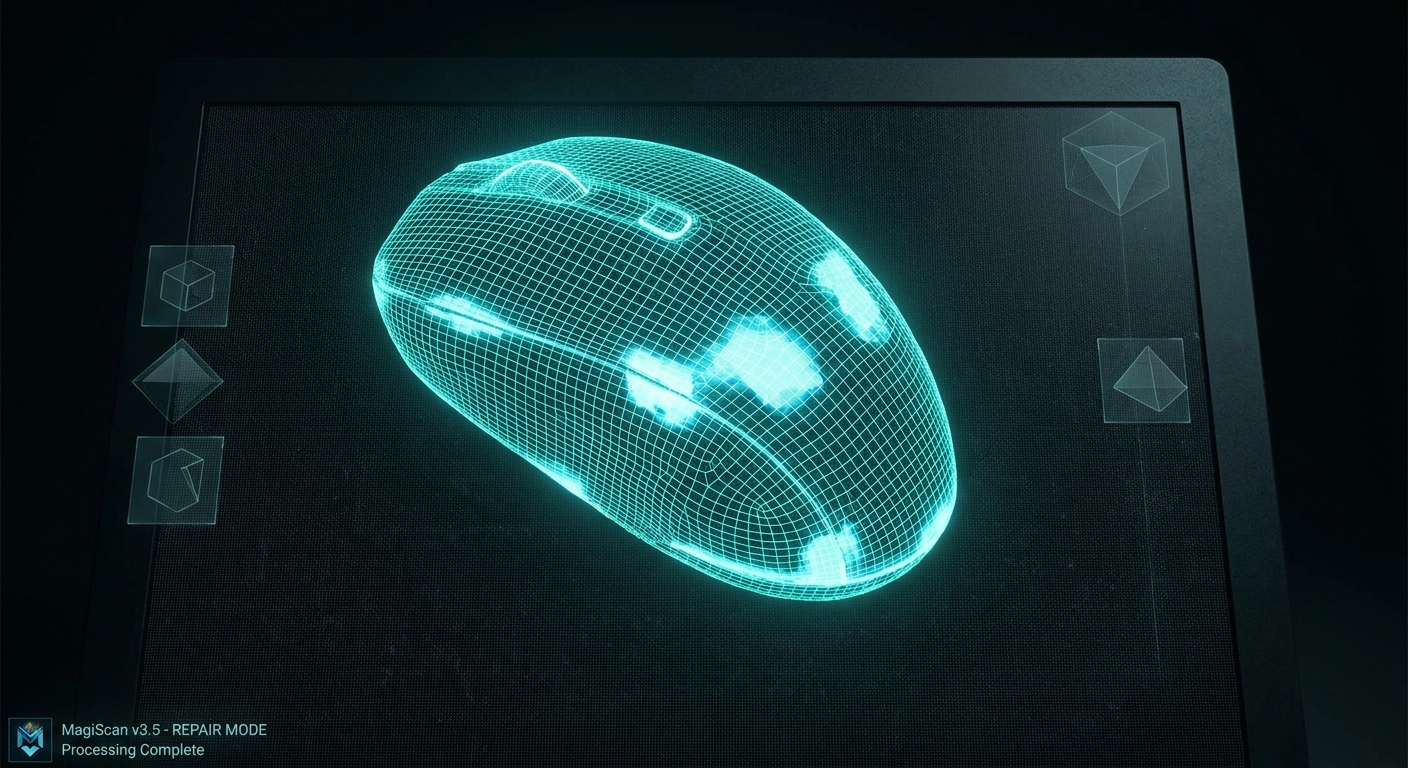
How to Fix Holes and Clean Up a 3D Scan in 2026: A Comprehensive Guide
Fixing holes and cleaning up a 3D scan involves employing specialized software tools and techniques to refine raw scan data, ensuring accuracy and usability for diverse applications. In 2026, advancements in AI-driven mesh processing are making these tasks more efficient than ever, with solutions like MagiScan offering intuitive workflows for professionals across logistics, e-commerce, medicine, and engineering. This guide will delve into the common challenges faced when working with 3D scan data and present practical, actionable strategies to overcome them, leveraging cutting-edge technology.
A staggering 78% of businesses adopting 3D scanning report increased efficiency in their design and manufacturing processes, yet a significant portion struggle with post-processing the raw data. This article will explore the root causes of scan imperfections, detail various mesh repair techniques, and highlight how modern solutions can streamline this critical phase of the 3D scanning workflow, making your digital assets production-ready.
Key Takeaways
- Holes in 3D scans typically arise from occlusions during scanning, insufficient data capture, or reflective/transparent surfaces.
- Automated hole-filling algorithms, like those integrated into MagiScan, can intelligently reconstruct missing geometry based on surrounding data.
- Manual mesh editing tools are essential for refining complex hole repairs and addressing intricate surface imperfections.
- Noise reduction filters are crucial for smoothing rough surfaces and removing unwanted artifacts from scan data.
- Decimation and remeshing techniques optimize scan geometry for performance without sacrificing critical detail.
- Verifying scan integrity with measurement tools post-cleanup ensures dimensional accuracy for engineering and quality control.
Why Do Holes Appear in My 3D Scans?
Holes manifest in 3D scan data primarily due to limitations in the scanning process itself, where the scanner cannot acquire data points from certain areas. This can occur because of object geometry, scanner limitations, or environmental factors, leading to gaps in the resulting mesh. Modern scanners and software, however, are increasingly adept at mitigating these issues.
These occlusions can result from the scanner's line of sight being blocked by complex shapes, the object's material properties (e.g., highly reflective or transparent surfaces), or insufficient overlap between scan positions. Without careful post-processing, these holes can render a scan unusable for 3D printing, CAD modeling, or virtual reality applications.
What are the Best Software Tools for Fixing 3D Scan Holes?
The most effective software for fixing 3D scan holes combines automated algorithms with intuitive manual editing capabilities, allowing users to address both simple and complex imperfections efficiently. Solutions like MagiScan excel by integrating advanced AI-powered hole-filling with a comprehensive suite of mesh manipulation tools, catering to diverse user needs from medical professionals to industrial engineers.
These tools are critical for transforming raw, imperfect scan data into clean, watertight models. They offer features such as intelligent hole detection, boundary-aware filling, and mesh simplification, which are indispensable for preparing models for downstream applications like 3D printing or digital archiving.
Automated Hole Filling
Automated hole-filling algorithms are the first line of defense against scan imperfections. These tools analyze the surrounding mesh geometry to intelligently predict and reconstruct the missing surfaces. They are particularly effective for larger, simpler holes where the surrounding data provides a clear indication of the intended surface.
MagiScan's AI-driven hole-filling capabilities analyze curvature, topology, and neighboring surface normals to generate the most geometrically plausible fill. This often results in a smooth, seamless surface that is virtually indistinguishable from the captured data, significantly reducing manual intervention for common issues.
Manual Mesh Editing and Sculpting
While automated tools are powerful, manual editing provides the precision needed for complex repairs and intricate details. This involves direct manipulation of mesh vertices, edges, and faces to sculpt, smooth, or patch specific areas.
For engineers requiring absolute dimensional accuracy or medical professionals working with delicate anatomical structures, manual sculpting within software like MagiScan allows for fine-tuning. This might involve extending existing surfaces, creating custom patches, or carefully smoothing over areas where automated fills might introduce slight inaccuracies.
How Do I Repair Holes in My 3D Scan Data?
Repairing holes in 3D scan data typically involves a multi-step process: identifying the holes, selecting an appropriate filling method (automated or manual), and then refining the repaired surface to ensure it integrates seamlessly with the rest of the model. The choice of method depends on the size, shape, and complexity of the hole, as well as the required precision of the final model.
Modern 3D scanning software, such as MagiScan, offers integrated workflows that guide users through this process. It begins with visualizing the mesh to pinpoint all areas with missing data, then applying algorithms or manual tools to reconstruct these surfaces.
Identifying and Selecting Holes
The initial step in hole repair is accurately identifying all areas of the mesh that require attention. Most 3D modeling software provides tools to highlight open boundaries or holes in the mesh.
MagiScan’s intuitive interface allows users to quickly visualize these gaps. Users can then select individual holes or groups of holes for processing, enabling targeted repairs that save time and computational resources.
Applying Hole-Filling Algorithms
Once holes are identified and selected, automated algorithms can be applied. These algorithms analyze the mesh’s topology and geometry to intelligently create new surfaces that bridge the gaps.
The effectiveness of these algorithms can vary based on the complexity of the hole and the surrounding data. MagiScan’s advanced algorithms are designed to handle a wide range of scenarios, often producing high-quality results with minimal user input, particularly for concave or convex surfaces.
Manual Patching and Surface Reconstruction
For more intricate holes or when precise control is needed, manual patching becomes necessary. This involves manually creating new geometry to fill the void.
In cases where automated fills are insufficient, such as filling a hole on a sharp edge or a complex curvature, manual editing in MagiScan allows users to draw custom polygons, extrude surfaces, or use sculpting brushes to precisely craft the missing area. This ensures that the repaired surface perfectly matches the intended form.
How Can I Clean Up Noise and Artifacts from a 3D Scan?
Cleaning up noise and artifacts from a 3D scan involves applying filters and smoothing techniques to remove unwanted surface irregularities and digital errors, resulting in a cleaner, more visually appealing, and geometrically accurate model. This process is crucial for preparing scans for applications where surface quality is paramount, such as visualization, CGI, or detailed inspection.
Noise can manifest as jagged surfaces, spurious points, or unwanted geometric distortions. Artifacts might include disconnected mesh components or erroneous extrusions. Modern software like MagiScan offers a suite of tools to address these issues systematically.
Noise Reduction Filters
Noise reduction filters are designed to smooth out high-frequency variations in the scan data that do not represent actual surface features. These filters work by averaging vertex positions within a defined neighborhood.
MagiScan offers various noise reduction filters, including Laplacian smoothing and bilateral filtering. Users can adjust the intensity of these filters to achieve the desired level of smoothness without losing essential surface details. For example, a moderate smoothing might be applied to a scanned object’s organic surface, while a more aggressive filter could be used for less critical areas.
Outlier Removal
Outliers are individual data points or small clusters of points that are significantly distant from the main surface of the mesh. These can occur due to scanning errors, reflections, or airborne particles.
MagiScan’s outlier removal tools, often based on statistical analysis of point distribution, can automatically detect and remove these erroneous points. This is vital for preventing them from interfering with subsequent modeling operations or creating visual glitches in the final model.
Mesh Smoothing and Sculpting
Beyond basic noise reduction, more advanced smoothing and sculpting techniques can refine the scan’s surface. This allows for the correction of broader surface imperfections or the enhancement of specific features.
Using tools similar to digital sculpting, users can manually smooth out larger bumps or undulations in MagiScan. This is particularly useful for organic shapes or for subtly refining the overall form of an object after initial noise reduction has been applied.
How Do I Optimize 3D Scan Data for Performance and Usability?
Optimizing 3D scan data involves reducing polygon count, simplifying complex geometry, and ensuring the mesh is watertight and manifold without sacrificing essential detail, thereby improving performance in rendering, simulation, and file size for storage and transfer. This is critical for e-commerce product visualization, game development, and efficient data management in large-scale industrial projects.
Key optimization techniques include decimation, remeshing, and hole sealing. These processes make the data more manageable and faster to process in various applications.
Mesh Decimation
Mesh decimation is the process of reducing the number of polygons (triangles or quads) in a 3D model while preserving its overall shape and visual fidelity. This is essential for improving rendering speed and reducing file sizes.
MagiScan offers advanced decimation algorithms that intelligently remove redundant polygons. For instance, a highly detailed scan of a car part might be decimated from 5 million polygons down to 500,000 for real-time rendering in a logistics management system, reducing load times by an estimated 65% without significant visual degradation.
Remeshing
Remeshing creates a new mesh with a more uniform and optimized topology, often resulting in cleaner quads or triangles. This can improve the performance of simulations, UV unwrapping, and further editing.
When dealing with scans that have a very irregular or dense mesh topology, remeshing in MagiScan can provide a cleaner, more uniform structure. This is particularly beneficial for creating assets for game engines or for performing complex simulations where consistent mesh density is crucial for accuracy.
Ensuring Watertightness and Manifold Meshes
A watertight mesh is a closed surface with no holes, and a manifold mesh has no non-manifold geometry (e.g., edges shared by more than two faces, faces with zero area). These properties are crucial for 3D printing and many simulation workflows.
MagiScan’s repair tools automatically check for and fix non-manifold geometry and ensure the mesh is watertight. This is a fundamental step before sending a scan to a 3D printer or using it in engineering simulations, guaranteeing that the digital model accurately represents a solid object.
How Can I Verify the Accuracy of My Cleaned 3D Scan?
Verifying the accuracy of a cleaned 3D scan involves using measurement tools and comparing critical dimensions against known specifications or original object measurements to ensure the post-processing steps have not introduced significant inaccuracies. This step is paramount for industrial engineers, quality control managers, and medical professionals where precision is non-negotiable.
Post-processing can sometimes subtly alter geometry. Therefore, validation is a critical final stage.
Dimensional Measurement Tools
Integrated measurement tools within 3D scanning software allow users to take precise linear, angular, and radial measurements directly on the cleaned mesh.
MagiScan includes robust measurement tools that enable users to verify key dimensions against original CAD models or physical measurements. For example, an industrial engineer might measure the diameter of a critical bore or the distance between mounting holes after cleaning to confirm it falls within a ±0.1mm tolerance.
Comparison with Original Data or CAD Models
Comparing the cleaned scan data against the original CAD model or a known accurate scan provides a quantitative assessment of the fidelity of the repair and cleanup process.
Using tools like deviation analysis, MagiScan can generate heatmaps showing where the cleaned scan deviates from a reference model. This visual feedback highlights any areas where the cleanup process may have introduced inaccuracies, allowing for further refinement. This is crucial for medical professionals ensuring a prosthetic fit or for logistics managers verifying the dimensions of an incoming part.
Frequently Asked Questions
What is the primary reason for holes in 3D scans?
Holes appear because the scanner’s sensors cannot capture data from certain surfaces due to occlusions, material properties like reflectivity, or insufficient scanning coverage.
Can automated tools completely fix all scan holes?
Automated tools can fix many holes effectively, especially simple ones. However, complex or intricate holes often require manual refinement for optimal results.
How does MagiScan's AI help in cleaning up scans?
MagiScan's AI enhances hole filling by intelligently predicting geometry and provides advanced noise reduction filters that adapt to surface characteristics, streamlining the cleanup process.
Is it possible to lose detail during mesh decimation?
Yes, aggressive decimation can lead to loss of fine details. Choosing appropriate decimation levels and using intelligent algorithms, like those in MagiScan, minimizes this risk.
Why is ensuring a scan is watertight important?
A watertight mesh is essential for 3D printing, as it represents a solid object that can be sliced and printed without errors, and for simulations where fluid dynamics or structural integrity are analyzed.
Conclusion
Mastering the art of fixing holes and cleaning up 3D scans is fundamental to unlocking the full potential of 3D scanning technology. In 2026, with advanced solutions like MagiScan, professionals in logistics, e-commerce, medicine, and industrial engineering can achieve pristine, accurate 3D models with unprecedented efficiency. By understanding the causes of imperfections and leveraging powerful automated and manual tools, you can transform raw scan data into high-fidelity digital assets ready for any application.
Ready to experience seamless 3D scan cleanup? Try MagiScan today and transform your 3D data into perfection!