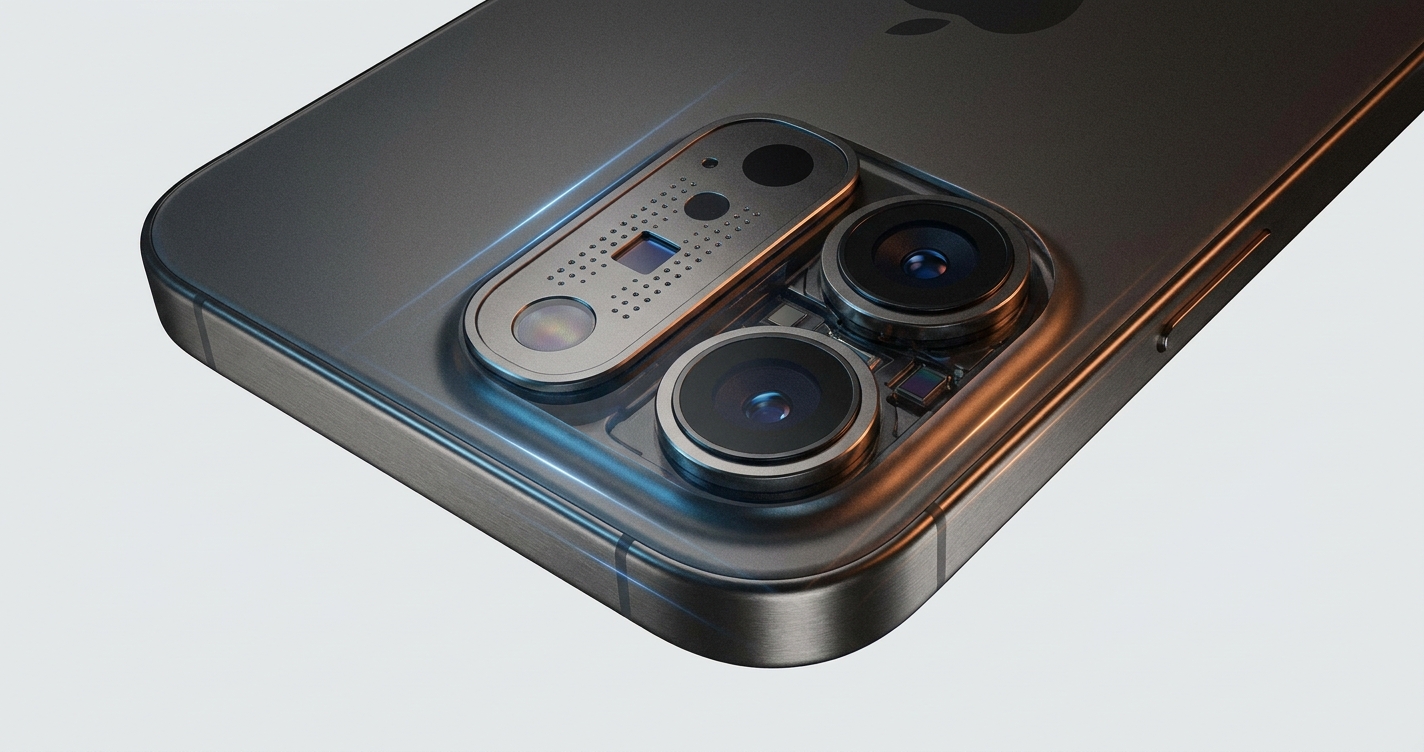
LiDAR vs TrueDepth Camera: Which to Use for iPhone 3D Scanning
Use the TrueDepth (front, Face ID) camera for small objects, faces and fine detail at close range, roughly 15 cm to 1 m. Use the rear LiDAR scanner for rooms, furniture and large objects, where you need range of up to about five meters and can accept coarser detail.
The rest of this article explains why the two sensors behave so differently, where each one breaks down, and how to pick the right one before you waste a scan.
How do LiDAR and TrueDepth actually measure depth?
Both sensors use invisible infrared light, but they measure depth in different ways, and that difference drives everything else.
TrueDepth is a structured-light system. According to Apple's Face ID documentation, the TrueDepth camera projects and analyzes thousands of invisible dots to create a depth map of the face. The pattern of dots deforms over the surface, and the phone works out shape from that deformation. Dense dots at short distance means fine surface detail.
LiDAR is a time-of-flight system. In the WWDC20 ARKit 4 session, Apple explains that the LiDAR scanner estimates depth by measuring how long emitted light takes to bounce off surfaces and return, repeating this millions of times per second to feed ARKit's scene geometry. Timing light works well over distance, but resolving tiny differences in that timing is hard, which is why LiDAR captures shapes rather than fine texture.
In practice: TrueDepth sees detail, LiDAR sees space.
What is LiDAR good at, and where does it fall short?
Strengths. LiDAR's main advantage is reach. A 2025 paper on iPhone 15 Pro Max LiDAR reports that the LiDAR sensors in iPhone Pro and iPad Pro models operate effectively at distances up to five meters. That makes it the obvious choice for capturing a room, a pallet, a car interior or a piece of furniture. It is on the back of the phone, so you can watch the screen while you walk around the subject, and scene geometry builds up quickly as you move.
Limits. The depth map is coarse. MyFit Solutions' analysis of iPhone LiDAR puts the point cloud at around 256×192 points and notes a minimum scanning distance of about one meter, which limits its use for small objects or fine details. A coin, a screw or the ridges on a shoe sole will come out as a smooth blob.
Accuracy is the other limit. Voxelio cites depth-sensor maker Structure.io as saying iPhone LiDAR is the least accurate option compared with TrueDepth and the dedicated Structure Sensor, attributing this to the physics of time-of-flight measurement. Keep that in mind if you plan to take measurements from a LiDAR scan rather than just visualize the space.
Availability matters too: LiDAR is only on iPhone Pro and iPad Pro models, so a standard iPhone has no rear depth sensor at all.
What is TrueDepth good at, and where does it fall short?
Strengths. TrueDepth wins on detail at close range. MyFit Solutions' review of TrueDepth scanning describes it as working from roughly 15 cm to 1 m with better resolution than LiDAR. That window suits faces, hands, feet, small products and mechanical parts. It is also present on every iPhone with Face ID, not just the Pro models, so many more people already own one.
Limits. The range is short. The same arXiv paper notes that TrueDepth's infrared lasers are effective only up to a few feet. Step back to fit a chair in frame and the depth data falls apart.
The bigger practical problem is positioning. TrueDepth sits on the front of the phone, so the screen faces the object, not you. Scanning a small object means you cannot easily see the preview. Workarounds: put the object on a turntable and keep the phone fixed on a stand, have a second person watch the screen, or scan your own face where the front camera is natural. If faces are your main use, our guide on how to 3D scan a person or face covers posture, lighting and movement.
Which sensor should I pick for my object?
Start with the size of the object and the distance you can work from, then check what your phone has.
| Factor | LiDAR (rear) | TrueDepth (front) |
|---|---|---|
| Measuring method | Time-of-flight: times reflected light | Structured light: thousands of projected infrared dots |
| Working distance | From about 1 m, effective up to about 5 m | Roughly 15 cm to 1 m |
| Detail | Low; around 256×192 depth points | Higher resolution than LiDAR at close range |
| Best subjects | Rooms, furniture, pallets, large equipment | Faces, hands, feet, small products and parts |
| Weak at | Small objects, fine features, close work | Anything larger than you can cover within arm's length |
| Which iPhones | iPhone Pro and iPad Pro models | All iPhones with Face ID |
| Handling | Screen faces you; easy to walk around a subject | Screen faces the object; preview is hard to see |
A few concrete calls:
- A shoebox-sized product for an online listing: TrueDepth, on a turntable, at 30 to 50 cm.
- A sofa or a kitchen: LiDAR. See our walkthrough on scanning a room or interior with a phone.
- A foot for an orthotic insole: TrueDepth, because the resolution matters more than range.
- A small part with fine features and no Face ID device nearby: neither sensor is ideal; photogrammetry often beats both on detail. Our comparison of LiDAR vs photogrammetry explains when to switch methods.
Which apps let me use these sensors?
The sensor is only half the result; the app decides how depth data is fused, cleaned and exported.
MagiScan
MagiScan is an AI-powered 3D scanning and measurement app for iPhone and Android that turns a phone into a 3D scanner and measuring tool. It exports scans for 3D printing, AR and e-commerce, which covers the most common destinations once you have captured an object. Because it runs on Android as well as iPhone, it is also an option for teams where not everyone carries an iPhone Pro.
3d Scanner App
The 3d Scanner App, with more than 11 million downloads, makes the sensor choice explicit: a LiDAR mode for spaces and rooms and a TrueDepth mode for smaller, more detailed object scans. It exports to OBJ, PLY and USDZ. If you want to see the difference between the two sensors on your own objects, running the same subject through both modes is a quick way to learn.
Whichever app you use, check the export format before you scan a batch. For help choosing between them, see how to export a 3D scan to STL, OBJ or USDZ.
What mistakes ruin LiDAR and TrueDepth scans?
Scanning small objects with LiDAR. Inside its minimum distance of about a meter, LiDAR has little useful data to give. Moving closer does not help; switch to TrueDepth or photogrammetry.
Backing away with TrueDepth. People step back to fit a larger object in frame and lose depth entirely beyond a few feet. If the object does not fit within arm's length, it is a LiDAR job.
Expecting LiDAR to give precise measurements. Its time-of-flight physics make it fine for room layouts and rough volumes but a poor choice for tight tolerances. Verify critical dimensions with a tape or caliper.
Ignoring the surface. Both sensors rely on infrared light coming back to the phone. Shiny surfaces bounce it away, black surfaces absorb it, and glass lets it pass through, which leaves holes in the mesh. Matte spray or powder fixes most cases; our guide to scanning shiny, black or transparent objects covers the details.
Moving too fast. The depth map is fused frame by frame. Jerky movement or a moving subject causes doubled edges and drift. Move slowly, keep overlap between passes, and keep the subject still.
Using bright sunlight. Strong sunlight contains a lot of infrared and can wash out the projected dots or returning pulses. Indoor or shaded light gives cleaner depth.
So which should you use?
Pick by size and distance. TrueDepth for anything you can scan within arm's length where detail matters; LiDAR for anything you need to walk around or step back from. If your phone only has one of the two, work within that sensor's range rather than fighting it, and fall back to photogrammetry for small, detailed objects. An app such as MagiScan then handles capture, measurement and export to 3D printing, AR or e-commerce formats.
Frequently Asked Questions
Is TrueDepth more accurate than LiDAR on iPhone?
At close range, yes for detail: TrueDepth offers better resolution than LiDAR within roughly 15 cm to 1 m. Structure.io has also described iPhone LiDAR as the least accurate option compared with TrueDepth and its own Structure Sensor, due to time-of-flight physics.
Can I scan a whole room with the TrueDepth camera?
Not practically. TrueDepth is effective only up to a few feet, so it cannot capture walls and furniture across a room. LiDAR, which works out to about five meters, is the right tool for rooms.
Which iPhones have LiDAR and which have TrueDepth?
LiDAR is found on iPhone Pro and iPad Pro models. TrueDepth is on every iPhone with Face ID, so many non-Pro iPhones have TrueDepth but no LiDAR.
Why does my LiDAR scan of a small object look like a blob?
LiDAR captures a low-resolution point cloud of around 256×192 points and needs about a meter of distance, so small features are lost. Rescan the object with TrueDepth at close range or use photogrammetry for finer detail.