Why 3D Scans Come Out Blurry and How to Fix It in 2026
3D scans appear blurry primarily due to insufficient data capture, resulting from issues with lighting, scanner resolution, object surface properties, and movement during the scanning process. In 2026, advancements in scanning technology and software, like those integrated into the MagiScan platform, offer robust solutions to overcome these common challenges, ensuring high-fidelity digital replicas. By understanding the root causes and implementing precise corrective measures, users across logistics, e-commerce, medicine, and industrial engineering can achieve crystal-clear 3D models.
Globally, the demand for accurate 3D models is projected to grow by 28% by 2027, driven by applications in virtual prototyping, quality control, and digital twins. Blurry scans, however, represent a significant bottleneck in this adoption, leading to wasted time and inaccurate data. This article delves into the intricate reasons behind blurry 3D scans and provides actionable, technologically advanced solutions, highlighting how MagiScan empowers users to achieve unparalleled scan quality.
Key Takeaways
- Lighting is paramount: Inconsistent or insufficient lighting causes scanners to misinterpret surface details, leading to blurriness.
- Object surface matters: Highly reflective, transparent, or very dark surfaces scatter light unpredictably, confusing 3D scanners.
- Scanner limitations: The inherent resolution and accuracy of a 3D scanner directly dictate the level of detail it can capture.
- Movement is the enemy: Any motion of the scanner or the object during capture introduces data misalignment and blur.
- Software processing is critical: Post-processing algorithms play a vital role in denoising and sharpening scan data.
- MagiScan offers integrated solutions: The MagiScan platform combines advanced hardware and intelligent software to mitigate these issues proactively.
Why Does My 3D Scanner Produce Blurry Results?
Blurry 3D scans typically arise from a fundamental lack of precise geometric data being captured by the scanner. This can stem from an inability of the scanner's sensors to accurately detect surface contours, often exacerbated by environmental factors, the object's material properties, or limitations in the scanning hardware and its associated software processing. Achieving sharp, detailed models requires addressing these core data acquisition challenges.
The primary culprits for blurry 3D scans are often interconnected. Low resolution in the scanner's sensor array means it cannot distinguish fine details, akin to a digital camera with too few megapixels. Inadequate or uneven lighting makes it difficult for scanners that rely on light projection and reflection (like structured light scanners) to accurately map surface geometry. Furthermore, the object's inherent surface characteristics, such as being excessively shiny or matte, can absorb or scatter light in ways that confuse the scanning algorithm.
What Are the Common Causes of Blurry 3D Scans?
Several factors contribute to the common issue of blurry 3D scans, ranging from environmental conditions to the technical specifications of the scanning equipment and the nature of the object itself. Understanding these specific causes is the first step toward implementing effective remedies and ensuring high-fidelity digital captures for applications in logistics, e-commerce, medicine, and industrial engineering.
These causes can be broadly categorized into: issues with the scanning environment, limitations of the scanning hardware, the physical properties of the scanned object, and errors introduced during the scanning process itself. For example, a logistics manager scanning inventory might encounter issues with dark, matte packaging, while a medical professional scanning intricate prosthetics could face challenges with reflective surfaces.
What Lighting Conditions Cause Blurry Scans?
Insufficient or uneven lighting is a leading cause of blurry 3D scans, as it prevents the scanner from accurately detecting surface features and depth. Structured light and photogrammetry scanners, which rely on projecting patterns or capturing multiple images under specific lighting, are particularly sensitive to these conditions. Inadequate illumination leads to noisy data and a loss of fine detail.
When light is too dim, the scanner’s sensors receive insufficient information to triangulate points accurately. Conversely, harsh or directional lighting can create deep shadows and bright specular reflections, which the scanner might misinterpret as geometry or fail to register at all. Professional solutions, like those offered by MagiScan, often incorporate controlled lighting environments or intelligent algorithms that compensate for suboptimal ambient light, ensuring consistent data capture.
How Do Object Surface Properties Affect Scan Quality?
The inherent surface properties of an object significantly impact the quality of a 3D scan, with highly reflective, transparent, or extremely dark surfaces posing the greatest challenges. These materials interact with scanner light in ways that can scatter, absorb, or reflect it unpredictably, leading to incomplete or inaccurate data capture and, consequently, blurry or noisy digital models.
- Reflective Surfaces: Shiny materials like polished metal or glass cause light to bounce away in predictable directions, making it difficult for scanners to capture surface normals and depth accurately. This often results in holes or distorted geometry in the scan.
- Transparent Surfaces: Clear or translucent materials allow light to pass through them, preventing the scanner from detecting the surface itself. Special treatments or techniques are required to make these surfaces visible to scanners.
- Dark/Matte Surfaces: Very dark or highly absorbent surfaces can soak up light, leaving insufficient signal for the scanner to detect. This leads to noisy data and a loss of detail, particularly in intricate areas.
MagiScan addresses these challenges through advanced material handling capabilities. Its intelligent algorithms can detect and compensate for difficult surfaces, and users can apply temporary matte sprays or specialized coatings to improve scanability, ensuring that even the most challenging objects yield high-resolution results.
What Scanner Hardware Limitations Lead to Blurry Scans?
The resolution and accuracy of the 3D scanner's hardware are fundamental determinants of scan quality, and limitations in these areas directly translate to blurry or imprecise digital models. Lower-resolution sensors capture fewer data points, preventing the reconstruction of fine geometric details, while less accurate scanners introduce errors in measurement and positioning.
A scanner with a low point cloud density, for instance, will struggle to define the edges of small features or the subtle curves of a surface. Similarly, scanners with imprecise depth sensors or unreliable tracking mechanisms will produce models with geometric inaccuracies and a generalized, less sharp appearance. The frame rate of a scanner also plays a role; a slow frame rate can lead to missed data if the object or scanner is moving even slightly during capture.
Why Does Scanner Movement Cause Blurriness?
Any relative movement between the 3D scanner and the object during the data acquisition phase is a direct cause of blurry or misaligned scan results. 3D scanners capture data by taking numerous measurements from different positions, and this process relies on the assumption that the object remains stationary relative to the scanner’s frame of reference. Motion introduces temporal inconsistencies in the captured data.
When either the scanner or the object moves during a scan, the software struggles to align the data frames correctly. This misalignment can manifest as ghosting, jagged edges, or a general lack of sharpness in the final 3D model. For applications requiring precise measurements, such as in industrial quality control or medical device manufacturing, this blurriness can render the scan unusable. MagiScan’s advanced motion compensation algorithms and high frame rates minimize the impact of minor movements, ensuring cleaner data even in dynamic environments.
How Can I Fix Blurry 3D Scans?
Fixing blurry 3D scans involves a multi-pronged approach, starting with optimizing the scanning environment and technique, and extending to sophisticated post-processing software. The goal is to ensure that the initial data capture is as clean and detailed as possible, and then to refine this data to enhance clarity and accuracy.
The most effective strategies involve a combination of improved lighting, surface preparation, appropriate scanner settings, and intelligent software correction. For example, a logistics manager needing to digitize damaged goods for insurance claims requires sharp, accurate representations, which can be achieved by addressing the fundamental causes of blur.
What Are the Best Practices for Lighting in 3D Scanning?
Optimizing lighting is a critical step to prevent blurry 3D scans, ensuring that the scanner receives consistent and interpretable surface information. Diffuse, even lighting is generally preferred, minimizing harsh shadows and specular reflections that can confuse scanner algorithms.
Controlled environments with adjustable lighting setups can dramatically improve scan quality. This might involve using multiple light sources positioned strategically to illuminate all surfaces evenly. For scanners like those in the MagiScan suite, which often feature integrated lighting solutions or recommendations, following manufacturer guidelines for lighting setup is paramount. Using polarizing filters can also help reduce glare from shiny surfaces, making them more scannable.
How Can Surface Preparation Improve Scan Fidelity?
Proper surface preparation is essential for capturing high-fidelity 3D scans, especially when dealing with difficult-to-scan materials like reflective, transparent, or very dark objects. Applying temporary coatings or treatments can transform these surfaces into a state that scanners can more easily interpret, leading to significantly sharper and more complete models.
For reflective surfaces, a light dusting of a removable matte spray (like those used for photography or 3D printing) effectively diffuses light, allowing the scanner to read the underlying geometry. For transparent objects, the same matte spray can create a scannable surface. Extremely dark objects may benefit from a light dusting of a contrasting powder or a specialized scanning spray to increase their reflectivity. MagiScan’s software can often detect and compensate for some surface imperfections, but physical preparation remains a cornerstone for achieving the best results.
What Scanner Settings Should I Adjust for Blurriness?
Adjusting specific scanner settings can directly combat blurriness by optimizing how the device captures and interprets data. This involves fine-tuning parameters related to resolution, exposure, and sensitivity to match the object and environment.
For scanners employing structured light or laser triangulation, increasing the projector's intensity or adjusting the camera's exposure can improve data capture on dark or less reflective surfaces. Conversely, for very bright surfaces, reducing exposure might be necessary to prevent saturation. Many scanners, including MagiScan, allow users to select pre-set scanning modes tailored for different materials or environments, which automatically configure these settings for optimal performance. Always consult the scanner’s manual for specific recommendations.
How Can Post-Processing Software Enhance Scan Clarity?
Post-processing software is indispensable for refining raw scan data and enhancing clarity, effectively reducing blurriness that may have persisted through the capture phase. Advanced algorithms can denoise the point cloud, sharpen edges, and fill in minor gaps, transforming a slightly blurry scan into a highly detailed and accurate digital model.
Software like MagiScan’s integrated processing suite offers tools for noise reduction, smoothing, and mesh refinement. These tools use sophisticated algorithms to identify and remove spurious data points while preserving essential geometric features. Edge enhancement filters can be applied to sharpen boundaries and improve the definition of intricate details. The effectiveness of post-processing often depends on the quality of the initial scan data; cleaner input data yields superior results.
What is the Impact of Scanner Resolution on Scan Blurriness?
Scanner resolution fundamentally dictates the level of detail a 3D scanner can capture, directly influencing the perceived blurriness of the resulting 3D model. Higher resolution scanners possess more sensors or capture more data points per scan, enabling them to reconstruct finer geometric features and smoother surfaces.
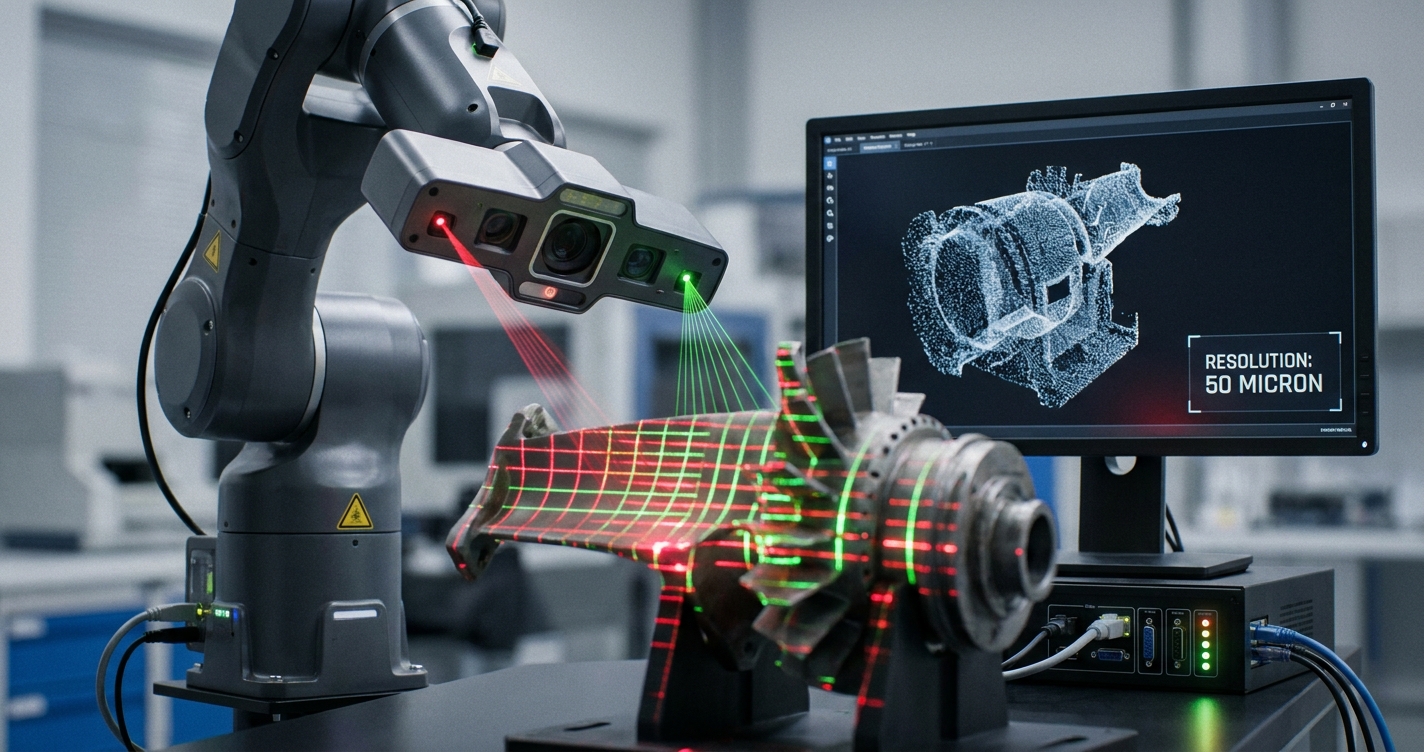
A low-resolution scanner might capture only a few hundred thousand points, resulting in a coarse representation that lacks the sharpness of a model captured with a scanner capable of millions or even billions of points. For instance, scanning a small, intricate mechanical part with a low-resolution device will likely result in blurred edges and indistinct features, rendering it unsuitable for detailed analysis or replication. Conversely, a high-resolution scanner, like those offered within the MagiScan ecosystem, can capture micron-level details, providing exceptionally sharp and accurate digital twins.
How Does Scanner Technology Influence Blurriness?
Different 3D scanning technologies inherently have varying susceptibilities to producing blurry results, depending on their underlying principles of operation. Understanding these technological nuances helps in selecting the right scanner for the job and mitigating specific causes of blur.
| Scanner Technology | Principle of Operation